Customizable Desktop Clock with Reminder Features

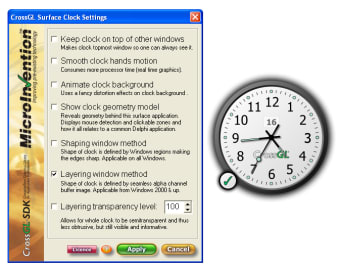
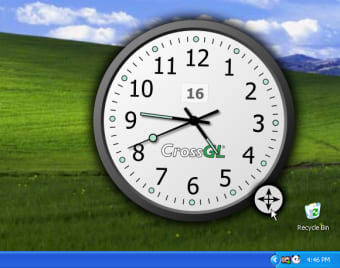
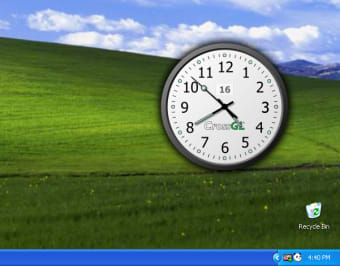
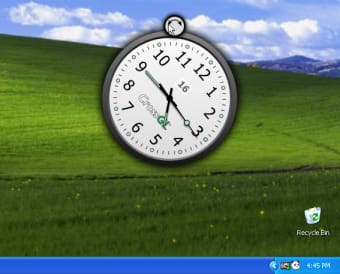
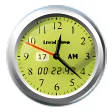
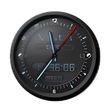
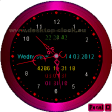
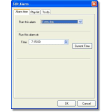
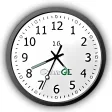
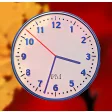
CrossGL Surface Clock is a versatile utility tool designed for Windows that enhances the desktop experience with a customizable clock interface. Users can choose between analog and digital formats and personalize the clock's appearance by modifying the shape of its frame. This application not only serves as a timekeeping tool but also integrates an efficient reminder system that displays notifications around the clock's perimeter. Users can manage one-time events or set recurring reminders on a daily, weekly, or annual basis.

Top Recommended Alternative
In addition to its clock functionalities, CrossGL Surface Clock offers several practical tools such as sticky notes for organizing to-do lists, a screenshot tool for capturing desktop images, and access to a library of online images. These features make it a comprehensive solution for users looking to enhance productivity and keep track of important tasks while maintaining a visually appealing desktop environment.
 0/4

App specs

  • License

    Free

  • Version

    1.00

  • Latest update

  • Platform

    Windows

  • OS

    Windows 98

  • Language

    English

  • Downloads

    204K

    Last month's downloads

    • 54
  • Size

    1.80 MB

  • Developer

Program available in other languages


User reviews about CrossGL Surface Clock

3.5

4 reviews

Add review

Main reviews for you

  • Anonymous user

    It si very good, but it would be better if you coud change its colour of rim and numbers on dial. On the other hand, the antivirus eliminates it automatically, because it does not require installation as a program, it appears as a hazard... Otherwise, it is good looking, friendly, and you can adjust its size & location, it becomes a great deskpot gadget... cheers & thanks...

  • Anonymous user

    It doesnot stay on after a reboot, have to reload it. It doesnot stay on after a reboot, have to reload it every time.

  • Anonymous user

    Simple. Looks great.. Simple. Looks great. May be made semi-transparent and placed on top of other windows. When clock is large, say 600x600 pixels, uses 5% of power of my 5 years old processor. <1% of processor when size is 3x3 desktop icons. Pros: simplelooks great

  • Anonymous user

    FUn!. THis is easy to use and lots of fun. you can make it any size to fit with other stuff on your desktop.l

More

You may also like

Alternatives to CrossGL Surface Clock

Explore Apps

Latest articles

Laws concerning the use of this software vary from country to country. We do not encourage or condone the use of this program if it is in violation of these laws.
Softonic

Is CrossGL Surface Clock safe?

100/100

Score result: Clean

This file passed a comprehensive security scan using VirusTotal technology. It is safe to download.

  • Virus free
  • Spyware free
  • Malware free
  • Verified by Security Partners

    VirusTotal logo

Scan Info

Last scan
Tuesday, January 9, 2024
Scan provider
VirusTotal · Full report

File Integrity

File
CrossGL-Clock-100-Beta.exe
SHA256
8f2b5069eebec853d308017a8b0e6e24c2195fe64a9bfb357b0ed200a6f67348
SHA1
ac568f7c02c5ef9bfa90f4a91de47cffb8365eb0

Softonic security commitment

CrossGL Surface Clock has been thoroughly scanned by our advanced security systems and verified by industry-leading partners. This file comes from the official developer and has passed all our security checks, showing no signs of viruses, malware, or spyware. For more information, visit our Security and Trust Center